PolyTrack Pizza Edition
There is a special kind of racing game where nobody bumps you, nobody talks trash in chat, and your only enemy is the clock. Polytrack pizza edition lives in that world. The game waiting for you above is a low-poly 3D car-stunt racer in the spirit of PolyTrack and TrackMania: pick a track, launch your car down ramps and loops, and fight for every tenth of a second. No opponents to blame. Just you, the track, and the restart button.
That last part matters more than you think. In time-trial racing, restarting is not failing. It is the whole strategy. The fastest players in games like this restart dozens of times per session, and each restart teaches them something: brake a little later here, take this jump a little wider there. If you walk in expecting a normal race against other cars, reset your expectations. Polytrack pizza edition is a puzzle made of speed, and the solution is repetition with attention.
What You Actually Play on This Page
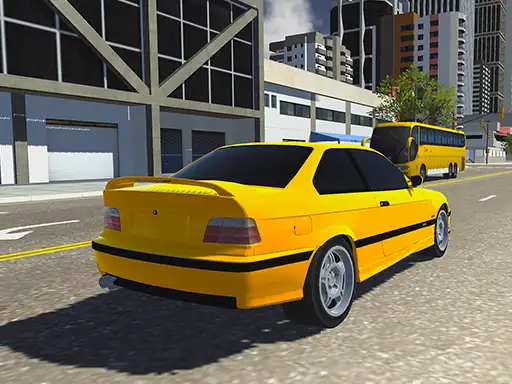
The playable game here is a stunt-focused car racer with clean low-poly graphics. You drive a small car across tracks packed with ramps, sharp corners, banked turns, and jumps. There is no story mode and no garage full of unlockables to grind. The loop is beautifully simple: drive the track, see your time, try to beat it.
This format comes straight from the TrackMania tradition that inspired the original PolyTrack by developer Kodub. The idea is that a racing game does not need twenty cars on the grid to be exciting. One car, one clock, and a track that punishes sloppy driving will keep you busy for hours. Polytrack pizza edition captures that same energy in your browser with zero downloads.
The 30-Second Start: Controls That Matter
You can learn everything you need in half a minute. Accelerate with W or the up arrow, brake and reverse with S or the down arrow, and steer with A and D or the left and right arrows. That is the entire control scheme for driving. But there is one more key that separates beginners from improvers, and it deserves its own moment.
The One Button That Saves Runs
Press R and your car instantly resets to the start of the track. No menus, no loading, no penalty. In polytrack pizza edition, R is not the “I give up” button. It is the “that landing was crooked and I refuse to waste twelve seconds limping to the finish” button. Fast players tap R the instant a run goes bad. Slow players finish bad runs out of stubbornness and learn nothing. Be the fast player. The restart is free, so spend it freely.
Racing Lines: The Skill That Beats Horsepower
Here is the secret that every time-trial community knows: the fastest line through a corner is almost never the shortest-looking one. Your car keeps its speed best when it turns gently, so the ideal path usually means going a little wide before the corner, cutting tight at the apex, and letting the car run wide on exit. This is called a racing line, and learning it will drop seconds off your times faster than any other skill.
Wide In, Tight Out
Approach corners from the outside edge of the track. Turn in late and sharp at the middle of the corner, then let the car drift out wide as you accelerate away. It feels wrong the first few times because you are driving extra distance. But you carry so much more speed through the turn that you exit faster overall. Try it on any medium corner in polytrack pizza edition and compare your time with a “cut the corner early” attempt. The wide-in line wins almost every time.
Braking Points You Can Feel
Brake before the corner, never inside it. Braking while turning upsets the car and bleeds speed twice: once from the brakes, once from the slide. Pick a visual marker before each hard corner, a shadow, a sign, a change in track color, and start braking there every lap. Move the marker later as you get braver. This is exactly how real racing drivers learn tracks, and it works just as well in polytrack pizza edition.
Landing Jumps Without the Bounce
Nothing ruins a good run like a jump landing that sends your car bouncing like a basketball. The bounce happens when you land at an angle, with one side of the car hitting before the other. The fix is to steer gently while airborne so the car levels out before touchdown. You want all four wheels meeting the track at the same instant.
Watch your landings for a few runs and you will start to feel which jumps need correction. A flat landing keeps your momentum and lets you accelerate immediately. A bouncy landing costs you the landing plus the wobble afterward. On stunt tracks where jumps come every few seconds, clean landings are worth more than perfect cornering. Make this your priority drill: run any jump-heavy track in polytrack pizza edition and restart every time you bounce. Within twenty minutes your air control will transform.
The Time-Trial Mindset: Restart Fast, Learn Faster
Time-trial games reward a specific mental approach. Each run is an experiment, not a performance. You are not trying to be perfect; you are trying to find out where the track lets you go faster. That means paying attention to small things: which corner cost you half a second, which jump you keep landing sideways, where you brake too early out of habit.
The players who improve fastest in polytrack pizza edition share one habit: they replay the same track many times instead of hopping between tracks. Familiarity is speed. The tenth run on one track teaches you things the first run on ten tracks never will. Pick a favorite, learn its secrets, and watch your time fall. Then take those skills to the next track, where they transfer immediately.
Making It Run Smooth in Your Browser
This is a 3D Unity-based racer, so it appreciates a little breathing room. Close tabs running videos or heavy pages before you play, and give the game a few seconds to settle after it loads. If you are on a school Chromebook, you are in luck: low-poly games like this are exactly what modest hardware handles well, which is one reason the genre became a classroom favorite.
Play in fullscreen if your browser offers it, turn off anything overlaying the window, and keep your keyboard responsive by closing background apps. None of this is exotic advice, but smooth frame rates matter enormously in a game decided by tenths of a second. A stutter at the wrong moment can end a perfect run, so treat performance as part of your setup in polytrack pizza edition.
Polytrack Pizza Edition FAQ
Is polytrack pizza edition free to play?
Yes. It runs entirely in your browser with no download, no account, and no payment.
Can I play it on a school Chromebook?
Yes. Low-poly browser racers are famously Chromebook-friendly and many school networks allow them.
How do I get faster times?
Learn racing lines, brake before corners, land jumps flat, and replay the same track to memorize it. Restart bad runs instantly with R.
Why does my car bounce so much after jumps?
You are landing at an angle. Steer gently in mid-air to level the car so all four wheels touch down together.
Is there multiplayer?
The format here is time-trial: you race the clock rather than live opponents. Your best times are the competition.
That is the full tour. The track is waiting, the clock is running, and your best time is still out there. Fire up polytrack pizza edition, pick the track that keeps beating you, and take a tenth off it today. Then come back and tell us in the comments: what is your best time, and which corner finally clicked for you?